Here in france it is forbidden to number the two ends of a wire differently, it is the same for all the equipotentiality!
Otherwise add a terminal with simple property between your conductors !!

You are not logged in. Please login or register.
QElectroTech → Posts by scorpio810
Here in france it is forbidden to number the two ends of a wire differently, it is the same for all the equipotentiality!
Otherwise add a terminal with simple property between your conductors !!
@Simon:
For a new project you can also set this in the configuration under "New Project" > "Conductor" and remove the underscore by default or in project setting.
No, but if you want you could use this patch and re compile QET.
--- sources/ui/conductorpropertiesdialog.ui
+++ sources/ui/conductorpropertiesdialog.ui
@@ -20,7 +20,7 @@
       <string>Appliquer les propriétés à l'ensemble des conducteurs de ce potentiel</string>
      </property>
      <property name="checked">
-      <bool>true</bool>
+      <bool>false</bool>
      </property>
     </widget>
    </item>
J'en conclus que le prix n'est peut-être pas l’élément déclencheur de ton client.
Certains softs autocad-electrical, Eplan, SEE, sont longs à prendre en main et nécessitent des formations longues et très chères. Peu de techniciens maîtrise ces logiciels. A coté dessiner avec QET est jeu d'enfant...
De plus ces softs ne fonctionnement que sur Windows, souvent avec un dongle alors qu'avec QET un technicien peut très bien continuer le projet en rentrant chez lui sur son Mac, Windows ou pc Linux, télétravailler, ou depuis n'importe quelle machine récente chez son client.
Compte-rendu d'une formation à QElectroTech
https://qelectrotech.org/forum/viewtopic.php?id=905
Bonjour,
oui ça peut fonctionner, je l'ai déjà fait, mais ça ne te serviras à rien tu auras un gros symbole qui occupera tout ton folio, autant scanner ton projet et copier dans chaque folio l'image scannée.
Tout redessiner peut -être très rapide tant que tu as les symboles et l'ancien schéma sous les yeux. Apres si chaque projet fait 300 pages ou plus ça va être long et monotone..
Vous avez essayez en changeant le paramètre "With"' de -1 en 0.....?
Certains DXF sont tres compliqués, parfois il faut les reconvertir avec une version de fichier moins récente et surtout en ASCII.
A croire que certains constructeurs font tout pour qu’on ne puissent pas les convertir facilement en élément QET.
Ca m'est arrivé de prendre un DWG le convertir en DXF puis dans un autre format mais image pour ensuite le reconvertir en DXF avec des convertisseurs online, ça prend beaucoup de temps et parfois ça ne donne qu'un symbole ou il manque des morceaux..
Draftsight etait pas trop mal, control A outil explod all and save in an ASCII DXF, mais depuis qu'ils ont arrêté la version Linux je ne m'en sert plus.
Puis avec le nombre conséquent d’éléments de la collection, il est facile d'ouvrir plusieurs instances de l’éditeur et de copier des parties de certains symboles pour en concevoir un de nouveau.
Parfois il faut aussi jongler avec les différentes version du convertisseur DXFtoelmt.
Bonne journée à toi aussi.
Hi Dwloch and thanks for compliment.
maybe with SQL query option like
https://qelectrotech.org/forum/viewtopi … 260#p14260
@scorpio810
should we prevent this in the code?
when loading, or when making?
Bad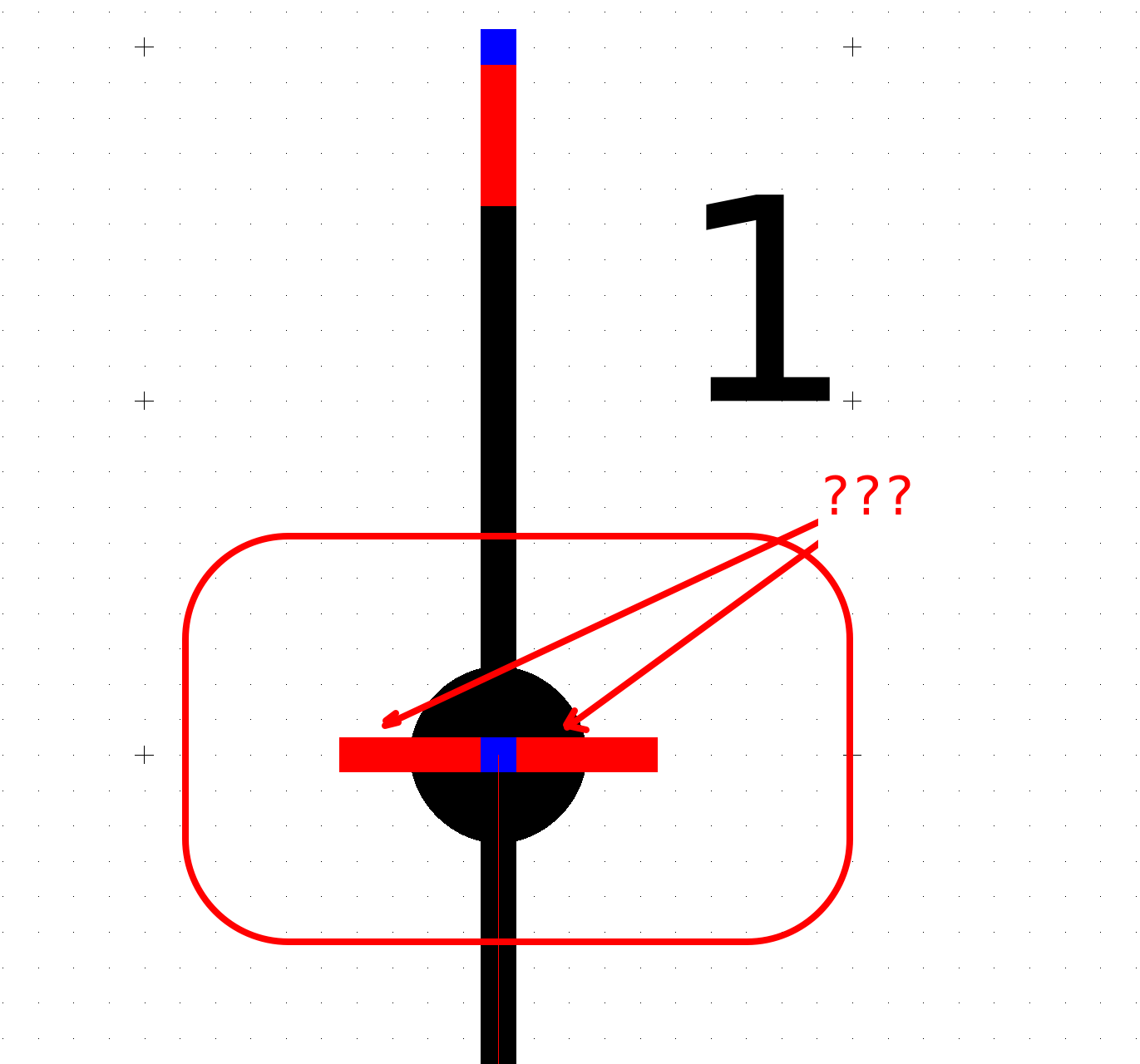
good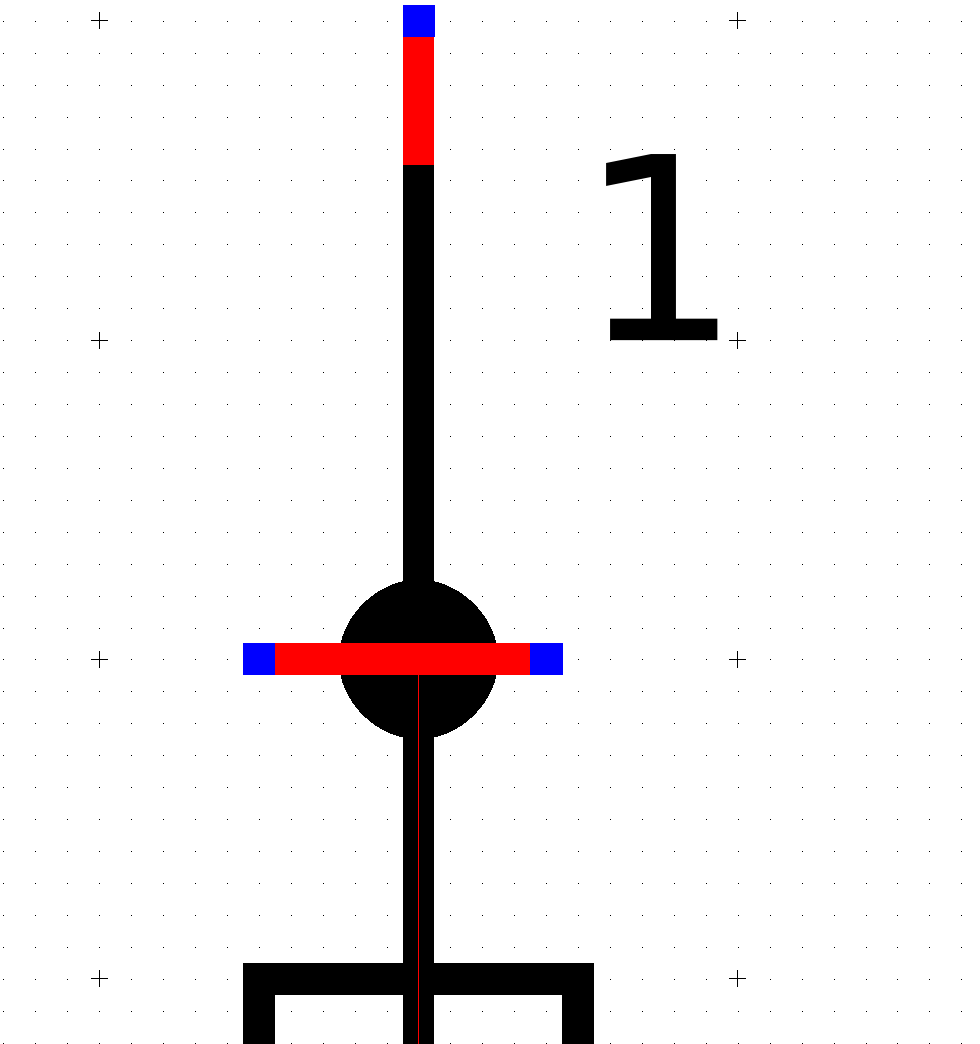
@Max:
reverse the orientation of the horizontal terminals it should no longer crash .
@Simon:
I don't know, prohibiting everything prevents some useful hacks.
I prefer a brain behind the screen ...
Bonjour,
parfois certains DXF constructeurs sont très compliqués à convertir en elmt, car ils n'ont pas été dessinés dans le but d’être repris pour en faire un symbole.
Parfois il faut passer par d'autres logiciel comme ici avec inkscape :
https://qelectrotech.org/forum/viewtopi … 705#p10705
mhhh!
normal that it crash ..
sudo apt-get update
sudo apt-get upgrade
Please upgrade your version!
It also depends on the dimensions of the folio.
@Silopolis : You are welcome and thanks for compliments.
I don' quite understand the question, because that is what we have now...
a
├── abb
│   └── 20_frequency_drives
├── allen_bradley
│   ├── 01_PLC&controllers
│   ├── 09_safety_modules
│   │   └── 10_delayed_outputs
│   ├── 11_safety_switches
│   ├── 1734
│   └── 20_frequency_drives
├── april
│   └── 5000
├── arduino
b
├── balluff
│   ├── 04_sensors_optical
│   └── 51_transformers&power_supply
├── bamo
├── becker
├── beckhoff
│   ├── 80building_management
│   └── automation
├── beka
├── best
├── bosch_rexroth
├── bti
│   └── 11_safety_switches
├── bwo
│   ├── 09_vektor_c
│   └── 10_vio64
c

etc
See this topic for scale : https://qelectrotech.org/forum/viewtopic.php?id=1561
What do you offer, a sub menu in alphabetical order?
QElectroTech → Posts by scorpio810
Powered by PunBB, supported by Informer Technologies, Inc.
Generated in 0.087 seconds (22% PHP - 78% DB) with 5 queries