You are not logged in. Please login or register.
Active topics Unanswered topics
Search options (Page 16 of 305)
Hallo plc-user
not the same thing like you, Cmake don't found KF6 dev addons installed by apt, so
--- cmake/define_definitions.cmake
+++ cmake/define_definitions.cmake
@@ -65,7 +65,7 @@ message("GIT_COMMIT_SHA            :" ${GIT_COMMIT_SHA})
 if(BUILD_WITH_KF6 AND BUILD_KF6)
   message("KF6_GIT_TAG               :" ${KF6_GIT_TAG})
 else()
-  add_definitions(-DBUILD_WITHOUT_KF6)
+#  add_definitions(-DBUILD_WITHOUT_KF6)
 endif()
 message("QET_COMPONENTS            :" ${QET_COMPONENTS})
 message("Qt version                :" ${Qt6_VERSION})
laurent@debian:~/qet_qt6_cmake/build/Desktop-Debug$ cat CMakeCache.txt | grep KF6
//Build KF6 libraries, use system ones otherwise
BUILD_KF6:BOOL=OFF
//Build with KF6
BUILD_WITH_KF6:BOOL=ON
//The directory containing a CMake configuration file for KF6CoreAddons.
KF6CoreAddons_DIR:PATH=/usr/lib/x86_64-linux-gnu/cmake/KF6CoreAddons
//The directory containing a CMake configuration file for KF6WidgetsAddons.
KF6WidgetsAddons_DIR:PATH=/usr/lib/x86_64-linux-gnu/cmake/KF6WidgetsAddons
[13:28:38] laurent@debian:~/qet_qt6_cmake/build/Desktop-Debug$
mising pkg-config?
I'm starting to smile to see that the Qt5 to Qt6 port seems to be going well, at least for now.
thanks Simon, plc-user elevatorMind, and others for your work...
There's still some fine-tuning and printing to be done.
As far as I'm concerned, the work of packaging QET on Qt6 hasn't started yet...it might not be easy...
Now, what I wanted to write in my own name!!!
Sorry again!
no worries. 
Thanks for your tip plc-user, great, merged!.
On existing projects, folio cross-references will have to be re linked, as will master-slave connections for contactor coils, relays, isolators, etc.
Edit: No, in fact they are not reread when the project is saved and reopened....but links connexions was saved in the XML.
In think the problemis here;
https://github.com/qelectrotech/qelectr … t.cpp#L770
    //load uuid of connected elements
    QList <QDomElement> uuid_list = QET::findInDomElement(e,
                                                          QStringLiteral("links_uuids"),
                                                          QStringLiteral("link_uuid"));
    foreach (QDomElement qdo, uuid_list)
#if QT_VERSION < QT_VERSION_CHECK(6, 0, 0)    // ### Qt 6: remove
        tmp_uuids_link << qdo.attribute(QStringLiteral("uuid"));
#else
#if TODO_LIST
#pragma message("@TODO remove code for QT 6 or later")
#endif
        qDebug()<<"Help code for QT 6 or later";
#endif
    //uuid of this element
Edit comment line tmp_uuids_link << qdo.attribute(QStringLiteral("uuid")); and compile code with Qt 5.15.x I have the same problem I saw with Qt6..
Bonjour et bienvenu Jory,
merci pour les compliments.
Je ferai avec des règles d'auto renumérotation exemple en vidéo:
1. Symbol library panel, the texts don't show until you hover over them with the mouse.
2. Nomenclature tables are growing in width, when you reload them the width increases.
Fixed!
While the Qt6 version seems to be working well, there are still a few sensitive points:
This version is far from ready for production..
On existing projects, folio cross-references will have to be re linked, as will master-slave connections for contactor coils, relays, isolators, etc.
Edit: No, in fact they are not reread when the project is saved and reopened....but links connexions was saved in the XML.
To be clear, if no one wants to help but just grumble, I'll stop making macOS packages, plus it costs me €100 out of my pocket every year.. just for signed and notarized.
Read on and you'll see that my work is no picnic...and or an pleasure...
https://qelectrotech.org/forum/viewtopi … 440#p17440
acolomb wrote:Wow, this seems a major burden and a piece of work to support Apple. Frankly, I would have stopped supporting the platform at all after all these troubles. Not a big fan of the company anyway, but charging developers to allow users running their software is just... rude! In the early computer days, some hardware vendors had a market advantage because they made it easy for software developers to write programs for their platform. Somehow for a company of Apple's size, these economic mechanisms don't work anymore. Except if people start sabotaging this madness and just stay away from Apple, especially those people putting in their volunteer work to publish open source software.
Enough ranting... I didn't understand everything in this thread, unfortunately, since my French is very rudimentary. I'd be happy if more posts could stick to English language, as it's more accessible to the rest of the world ;-)
rvamerongen wrote:Issue with Version 0.100.0 r8390 on macOS ARM 14.7.2
I downloaded the latest version 0.100.0 r8390 for macOS ARM, but now the trick to create an alias to start and run it isn’t working anymore.
This issue has persisted for 8 months, and a neighbor is experiencing the same problem.
Does anyone with all the necessary compiler tools installed have success compiling it to make it work properly on macOS?
Hello rvamerongen,
please don't blame me, I do what I can, my scripts for mac Apple was on github and maybe improved by a specialist..
I have a shortcut on my desktop like aleas and it 's work well... FYI I stayed on the old Sonoma again.
Hello Erik,
see https://github.com/qelectrotech/qelectr … onpage.cpp
for add and use case tro select your new grid size.
After you use this example for add include and your new value in other file code part, see
https://github.com/qelectrotech/qelectr … et.cpp#L39
Best regards,
Laurent
Hello Vadoola,
same here: Already deleted my fork!
Renew Apple dev acount: 99€ only for signing and notatized amr64 QET packages.
Renew web hosting 157€
Hello, since c9b9165 It's was easy to add conductor 's formula like color, section, tension_protocol, ect directly than trought a report element, thanks elevatormind.
https://github.com/qelectrotech/qelectr … 1195d603ae
Enjoy!
In label: New variables for conductor text formulas
"%wf" = conductor = function
"%wv" = conductor = tension_protocol
"%wc" = conductor = wire_color);
"%ws"= conductor = wire_section
And added https://github.com/qelectrotech/qelectr … r/pull/365
Added option to only move dynamic texts with shitft key for elements by elevatormind
Hello, since c9b9165 It's was easy to add conductor 's formula like color, section, tension_protocol, ect directly than trought a report element, thanks elevatormind.
https://github.com/qelectrotech/qelectr … 1195d603ae
Enjoy!
1. Symbol library panel, the texts don't show until you hover over them with the mouse.
Seem 's fixed on https://github.com/qelectrotech/qelectr … nmodel.cpp
https://github.com/elevatormind/qelectr … ied&w=
Oui voir la première option, mais déconseillée de la décocher!
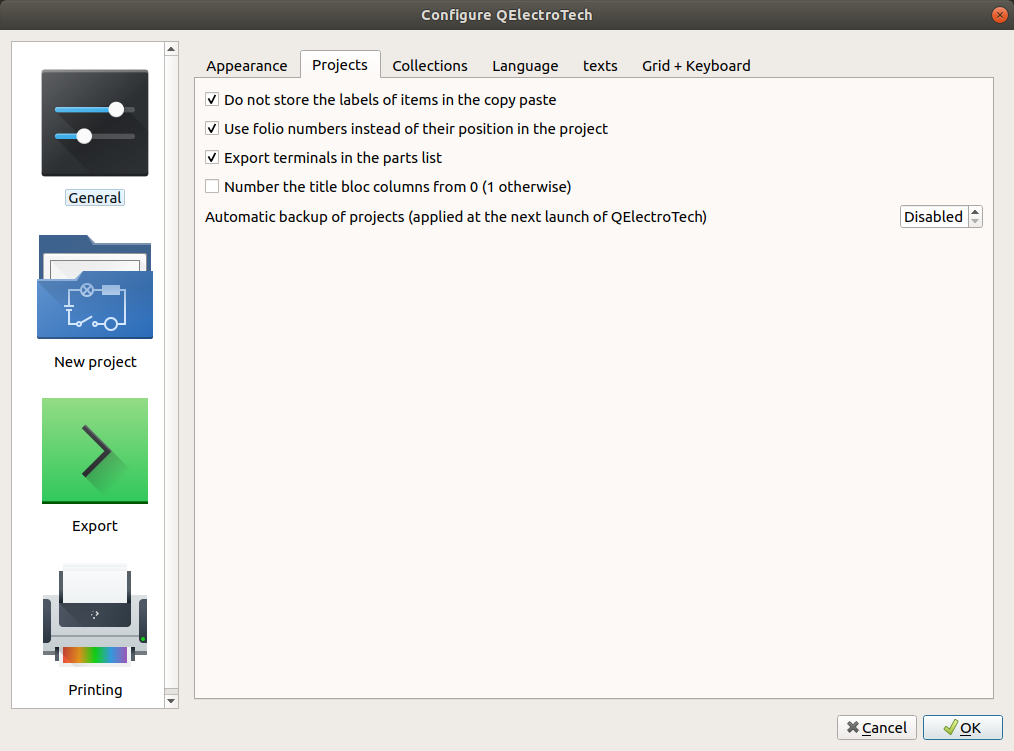
This problem is very old, it appears especially when you select all or an select of part of the symbols in a folio to copy and paste them into a new folio, if you search hard enough on the forum you should find threads of discussion.
Hello have you see all comments in this Youtube channel?
TDS collection only shared by email request perhaps for echange to little moneys.
It's understandable that spending many hours, weeks drawing elements can be profitable.
BTW, we have some WEG in this repository: https://download.qelectrotech.org/qet/e … index.html
See this post: https://qelectrotech.org/forum/viewtopic.php?id=2332
WoW, thanks for your work, it compiled well on my Debian Sid with Qt 6.7.2, Qt 6.8.2 is still in the experimental branch. I 'm think for a few stil days. https://incoming.debian.org/debian-buildd/pool/main/q/
And I don't want to break my plasma6.
I didn't need to compile KCoreAddons and KWidgetAddons.
sudo apt install qt6-tools-dev qt6-svg-dev libkf6coreaddons-dev libkf6widgetsaddons-dev
Edit:
I've noticed that there are refresh problems in the tree of the collection of elements with the names of the symbols.
Sweeping the mouse cursor makes them appear... Like you say.
S.DEFFAUX wrote:Non je suis sur Windows mais je trouve beaucoup plus rapide la 0.100
Si tu veux que ça aille encore plus vite, regarde ici: https://qelectrotech.org/forum/viewtopi … 624#p19624
Posts found: 376 to 400 of 7,604
Generated in 0.092 seconds (21% PHP - 79% DB) with 5 queries
