
You can import only pictures.
Convert your pdf to image format.
2,601 2021-05-06 18:54:11
Re: Auf einen vorhandenen Plan zeichnen (7 replies, posted in DE : Hilfe, Vorschläge, Unterhaltungen...)
2,602 2021-05-06 07:37:25
Re: QElectroTech howto found on the WWW (53 replies, posted in Videos howto)
2,603 2021-05-05 14:21:08
Re: QET V0.8 - TB Generator V1.1.7 - MAC OS 11.2.2 - Python 3.8 (32 replies, posted in Terminal block generator)
@j.vanderveen: Updated my VM to Big Sur 11.3.1 and qet_tb_generator work's always.
2,604 2021-05-05 13:41:16
Re: Arch package for 0.8 stable? (13 replies, posted in EN : Help, suggestions, discussions, ...)
Hi,
my repo is only for devel version.
You could try this :
flatpak install --user https://dl.flathub.org/build-repo/45176/org.qelectrotech.QElectroTech.flatpakref2,605 2021-05-05 09:45:09
Re: Nouveautés de la version de développement 0.9 and 0.100.0 -0.100.1 (279 replies, posted in News)
Some of our users are having trouble uploading our binaries to our site, so another repo has been hosted on Github.
https://github.com/qelectrotech/qelectr … -2021%2F05
For 0.8 version see here :
https://github.com/qelectrotech/qelectr … /tag/0.8.0
Enjoy . 
2,606 2021-05-05 09:12:18
Re: QElectroTech howto found on the WWW (53 replies, posted in Videos howto)
2,607 2021-05-03 17:15:19
Re: Klemmenplan-Plugin kann nicht gestartet werden-TB Plugin can´t started (36 replies, posted in DE : Hilfe, Vorschläge, Unterhaltungen...)
On Linux just run qelectrotech in terminal, open your project, after launch qet_tb_generator plugin by QET menu.
2,608 2021-05-03 12:36:40
Re: Klemmenplan-Plugin kann nicht gestartet werden-TB Plugin can´t started (36 replies, posted in DE : Hilfe, Vorschläge, Unterhaltungen...)
ok, is project problem, run qet_tb_generator in an terminal for possible saw where are error?
2,609 2021-05-03 11:56:23
Re: Klemmenplan-Plugin kann nicht gestartet werden-TB Plugin can´t started (36 replies, posted in DE : Hilfe, Vorschläge, Unterhaltungen...)
You can share your project?
2,610 2021-05-01 12:33:26
Topic: Scripts powershell (0 replies, posted in Scripts)
2,611 2021-04-30 12:11:29
Re: QET V0.8 - TB Generator V1.1.7 - MAC OS 11.2.2 - Python 3.8 (32 replies, posted in Terminal block generator)
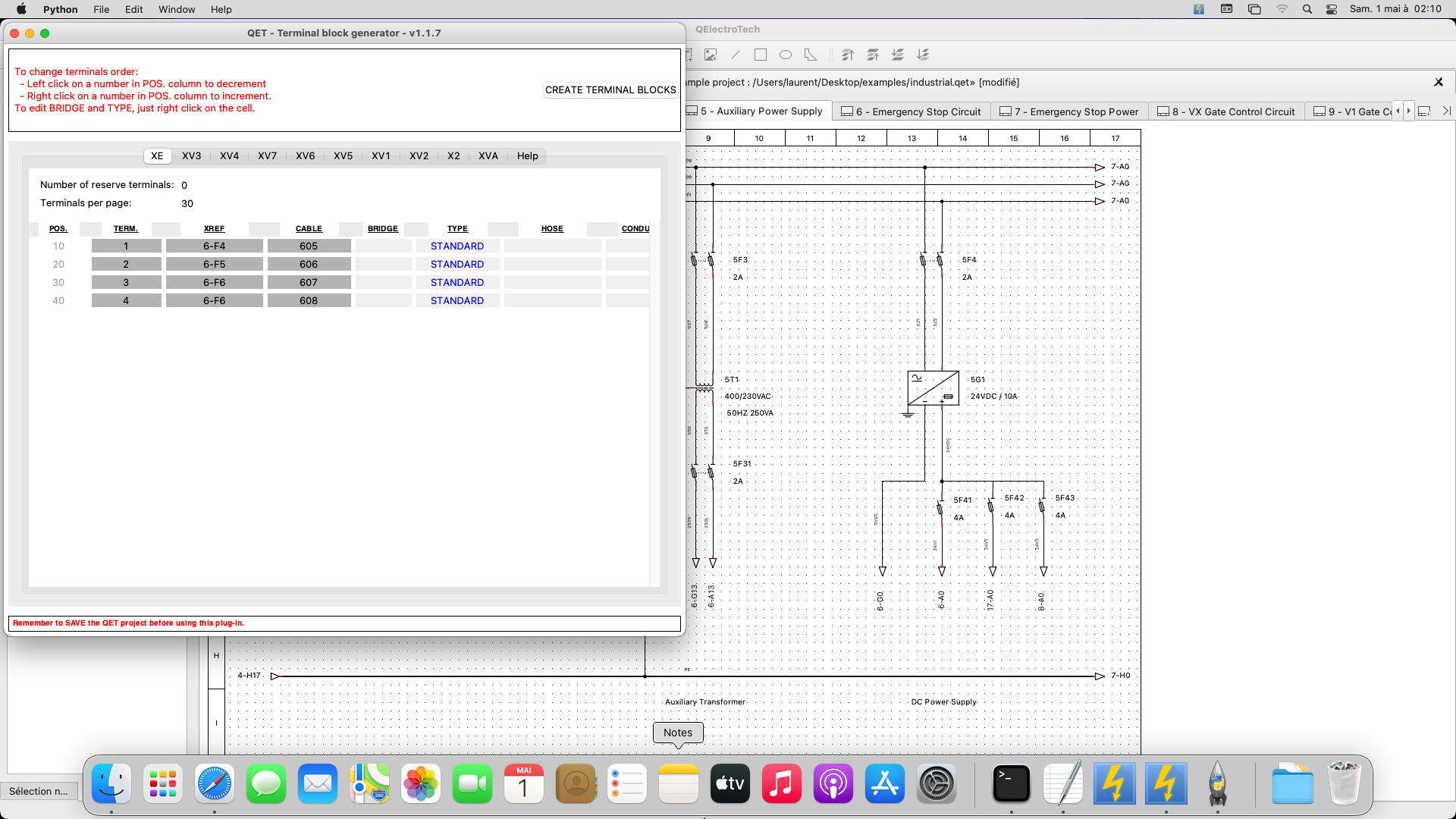
On OSX you need to upgrade to python 3.9 for last 0.9-dev
I tried quickly on a fresh Big Sur 11.3 VM.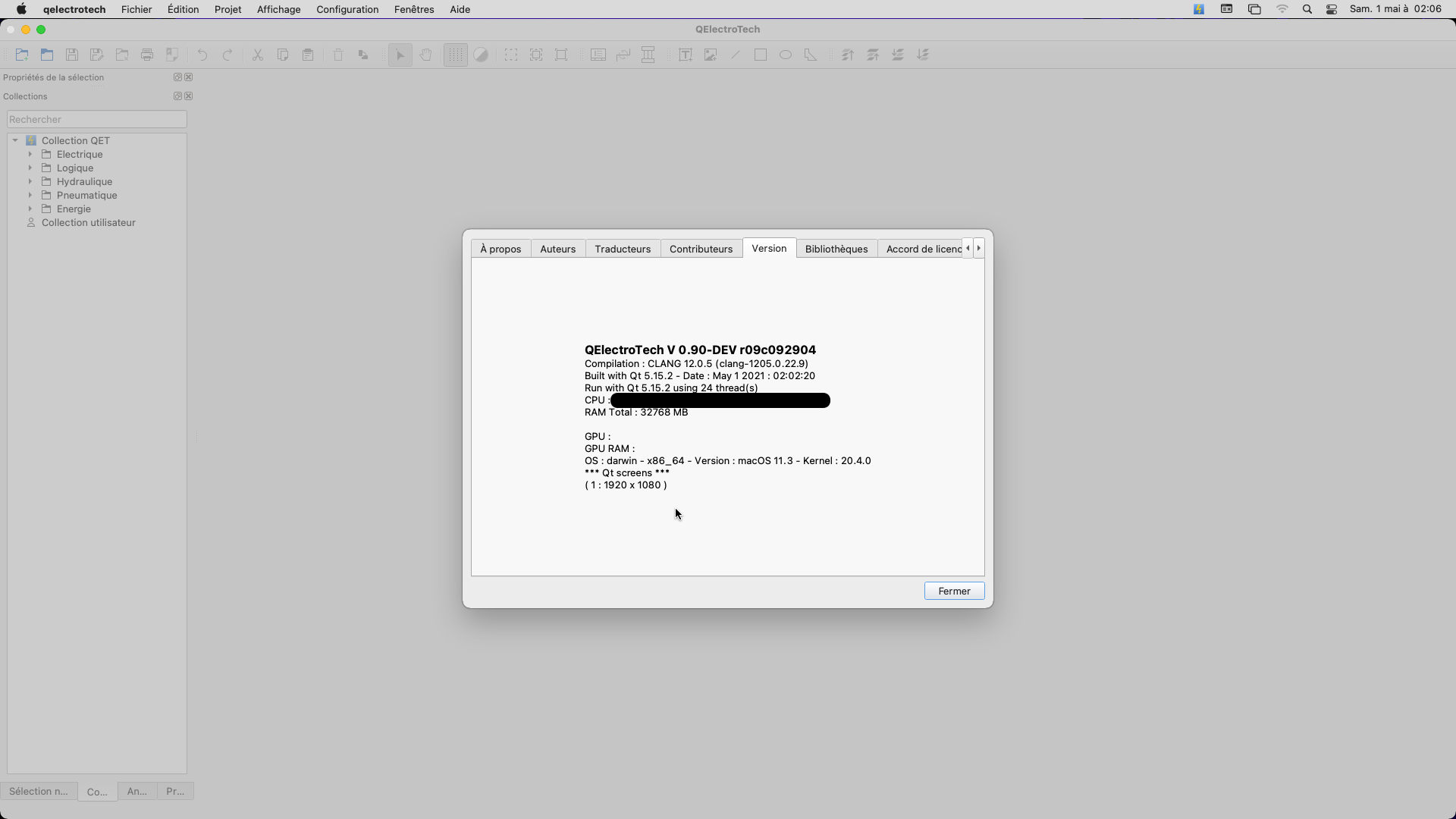
Get https://www.python.org/ftp/python/3.9.4 … sx10.9.pkg
1 Install python 3.9
2 run Profile.command script
Install qet_tb_generator
pip3 install qet_tb_generatorOpen industrial.qet example and launch plugin to see if it's work
2,612 2021-04-28 05:28:43
Re: besoin d'aide en général (6 replies, posted in FR : Aide, suggestions, discussions, ...)
2,613 2021-04-23 17:38:45
Re: Suggestions and bug for new coming version (14 replies, posted in Terminal block generator)
Hi Unalcade,
thanks, but
https://www.virustotal.com/gui/file/014 … /detection
2,614 2021-04-22 16:06:58
Re: Suggestions and bug for new coming version (14 replies, posted in Terminal block generator)
BTW, Joshua is working on it right now on new teminal block.
2,615 2021-04-22 15:55:51
Re: Common blueprint symbols? (1 replies, posted in EN : Help, suggestions, discussions, ...)
I don't saw elements like it, but uou could draw yourself.
2,616 2021-04-22 14:52:35
Re: Nouveautés de la version de développement 0.9 and 0.100.0 -0.100.1 (279 replies, posted in News)
Bientôt vous pourrez lancer des application Linux en GUI dans vos Windows..
https://www.nextinpact.com/article/4684 … que-et-gpu
https://www.01net.com/actualites/window … 41652.html
2,617 2021-04-22 14:01:04
Re: Problème lié à la mise à l'échelle des écrans (21 replies, posted in FR : Aide, suggestions, discussions, ...)
scorpio810 wrote:
https://git.tuxfamily.org/qet/qet.git/c … 73d0fcd2f4
https://download.qelectrotech.org/qet/b … 1-04-21-1/
Je pense que le dernier commit fixe le problème de décalage des bornes dans une config Multi-écran avec différentes échelles.
Tu pourras essayer?
2,618 2021-04-22 13:33:23
Re: Problème lié à la mise à l'échelle des écrans (21 replies, posted in FR : Aide, suggestions, discussions, ...)
2,619 2021-04-21 09:43:48
Re: Problème lié à la mise à l'échelle des écrans (21 replies, posted in FR : Aide, suggestions, discussions, ...)
2,620 2021-04-21 07:37:13
Re: Problème lié à la mise à l'échelle des écrans (21 replies, posted in FR : Aide, suggestions, discussions, ...)
Tu peux essayer de rajouter dans le script de démarrage
-platform windows:dpiawareness=0
2,621 2021-04-20 14:25:52
Re: two (2) settings of preferences (4 replies, posted in EN : Help, suggestions, discussions, ...)
2,622 2021-04-19 18:48:52
Re: Nouveautés de la version de développement 0.9 and 0.100.0 -0.100.1 (279 replies, posted in News)
- Log -----------------------------------------------------------------
commit b6cfc8c755a70f2e1b98fe0b991c7599d25a5679
Author: joshua <Joshua@>
Date: Sun Apr 18 20:03:13 2021 +0200Improve element collection loading time
According to Qt creator flame graph, call QSettings take lot of time.
When loading the element collection, each items of the collection get
the current language by calling the function QString
QETApp::langFromSetting().
This function instantiate a QSettings object each time and take a lot of
time.
Now the QSettings is instantiate only at the first call, and the value
is stored in memory, then all other call of the function don't
instantiate a QSettings, but just return the value in memory.
you see time improvement of loading on Windows?
2,623 2021-04-19 18:08:52
Re: Problème lié à la mise à l'échelle des écrans (21 replies, posted in FR : Aide, suggestions, discussions, ...)
Chose étrange, l'éditeur d'éléments ne présente pas ce problème! De même, lors de l'exportation en PDF, pas de problème.
https://qelectrotech.org/bugtracker/view.php?id=150
https://git.tuxfamily.org/qet/qet.git/t … w.cpp#n188
2,624 2021-04-19 17:16:00
Re: Problème lié à la mise à l'échelle des écrans (21 replies, posted in FR : Aide, suggestions, discussions, ...)
Si tu peux tester en rajoutant dans le main.cpp
qputenv("QT_ENABLE_HIGHDPI_SCALING", "1");
QGuiApplication::setHighDpiScaleFactorRoundingPolicy(Qt::HighDpiScaleFactorRoundingPolicy::PassThrough);
https://doc.qt.io/qt-5/qt.html#HighDpiS … olicy-enum
--- sources/main.cpp
+++ sources/main.cpp
@@ -175,6 +175,13 @@ int main(int argc, char **argv)
 #pragma message("@TODO remove code for QT 6 or later")
 #endif
 #endif
+
+#if QT_VERSION >= QT_VERSION_CHECK(5, 14, 0)
+qputenv("QT_ENABLE_HIGHDPI_SCALING", "1");
+QGuiApplication::setHighDpiScaleFactorRoundingPolicy(Qt::HighDpiScaleFactorRoundingPolicy::PassThrough);
+#endif
+
+
     SingleApplication app(argc, argv, true);
 #ifdef Q_OS_MACOS
     //Handle the opening of QET when user double click on a .qet .elmt .tbt file
Compiler QET sur Windows
https://qelectrotech.org/forum/viewtopi … 999#p12999
https://qelectrotech.org/wiki_new/doc/qt_pour_windows
2,625 2021-04-19 15:59:22
Re: Problème lié à la mise à l'échelle des écrans (21 replies, posted in FR : Aide, suggestions, discussions, ...)
https://doc.qt.io/qt-5/highdpi.html
https://lists.qt-project.org/pipermail/ … 37434.html
https://programmersought.com/article/27635311665/
The QT_ENABLE_HIGHDPI_SCALING environment variable, introduced in Qt 5.14, enables automatic scaling based on the pixel density of the monitor. Replaces QT_AUTO_SCREEN_SCALE_FACTOR.
The QT_SCALE_FACTOR_ROUNDING_POLICY environment variable and QGuiApplication::highDpiScaleFactorRoundingPolicy API, introduced in Qt 5.14, makes it possible to control if and how the device pixel ratio should be rounded to the nearest integer. This is relevant for configurations like Windows at 150% scale. Possible values are Round, Ceil, Floor, RoundPreferFloor, PassThrough. See the Qt::HighDpiScaleFactorRoundingPolicy enum documentation for a full description of the options.