1,376

(4 replies, posted in EN : Help, suggestions, discussions, ...)

https://qelectrotech.org/forum/viewtopi … 591#p16591
https://download.qelectrotech.org/qet/f … prove5.png

1,377

(4 replies, posted in EN : Help, suggestions, discussions, ...)

Hello and thanks for compliments,

We added new other element and we change a lot xrefs draw for that, see:

https://github.com/qelectrotech/qelectr … r/pull/222
https://qelectrotech.org/forum/viewtopi … 475#p16475

https://qelectrotech.org/forum/viewtopic.php?id=1315

it was not possible for me to have a free developer account, despite my emails and phone calls with Apple support..
We are not a declared registration so impossible to have a DUNS number, or else I would have to become self-employed...

I was told that it was better to pay with your credit card than with a Paypal account to facilitate authentication..., so I had to pay again out of my pocket 99€/year...


After many hours, and days to learn I couldn't sign a dmg, although codesign -dv -r- /Applications/qelectrotech.app is ok, but QET crashes...on launch or does not launch...
So I modified my scripts to package a zip tarball..

Compile, sign, zip and upload:

The time of compilation is 1 min 5 sec

______________________________________________________________
Copy Qt libraries and private frameworks:
Processing Mac deployment tool...

______________________________________________________________
Copy file missing:
Copying add elements in the bundle...
Copying titleblocks in the bundle...
Copying translations in the bundle... 
qelectrotech.app: replacing existing signature

______________________________________________________________
Create disk image:

______________________________________________________________
The process of creating deployable application zip is done.
The disque image is in the folder 'build-aux/mac-osx'.
Would you like to upload MacOS packages qelectrotech-0.100.0-r7840-arm64.zip, n/Y?.
y
xxxxxx@ssh.tuxfamily.org's password: 
building file list ... 
2 files to consider
./
qelectrotech-0.100.0-r7840-arm64.zip
    47283680 100%  692.58kB/s    0:01:06 (xfer#1, to-check=0/2)
deleting qelectrotech.app.zip

sent 47289601 bytes  received 48 bytes  587449.06 bytes/sec
total size is 47283680  speedup is 1.00


laurent@mini-de-laurent-1 ~ % codesign -dv -r- /Applications/qelectrotech.app
Executable=/Applications/qelectrotech.app/Contents/MacOS/qelectrotech
Identifier=org.qelectrotech
Format=app bundle with Mach-O thin (arm64)
CodeDirectory v=20400 size=64596 flags=0x0(none) hashes=2012+3 location=embedded
Signature size=8981
Timestamp=20 Mar 2023 at 11:58:52
Info.plist entries=14
TeamIdentifier=Y73WZ6WZ5X
Sealed Resources version=2 rules=13 files=9822
designated => identifier "org.qelectrotech" and anchor apple generic and certificate 1[field.1.2.840.113635.100.6.2.6] /* exists */ and certificate leaf[field.1.2.840.113635.100.6.1.13] /* exists */ and certificate leaf[subject.OU] = Y73WZ6WZ5X
laurent@mini-de-laurent-1 ~ % 

Next step is learning notarize application for gatekeeper...
https://developer.apple.com/documentati … n_workflow
https://github.com/electron/notarize/issues/88
https://scriptingosx.com/2021/07/notari … otarytool/
https://melatonin.dev/blog/how-to-code- … ins-in-ci/
https://blog.smittytone.net/2022/06/09/ … e-quickly/
https://blog.rampatra.com/how-to-notari … otary-tool

Command qet_tb_generator on terminal work too.

Last login: Sun Mar 19 11:15:52 on ttys000
laurent@mini-de-laurent-1 ~ % qet_tb_generator
11:34:34 INFO     QET Terminal Block Generator - v1.3.1 [main.main:840]

Rotation of a selection
When I select a group of items and want to rotate the whole selection now it rotates each element or item individual; what I like to request is that when I want to rotate the selection that it rotates the whole selection as one item.

Not possible yet.
https://qelectrotech.org/wiki_new/roadmap
Possibilité de tourner un groupe d'éléments intelligemment.

Moving elements and shapes using the keyboard arrows
Not sure if it is a bug, but when having a element selected using the keyboard arrows it moves the folio but not the element; not expected.


Maybe is depend on keyboard you use, with an extended magic keyboard keyboard comportment is different if you use PC keyboard.

Moving the wire icon anywhere along the conductor line
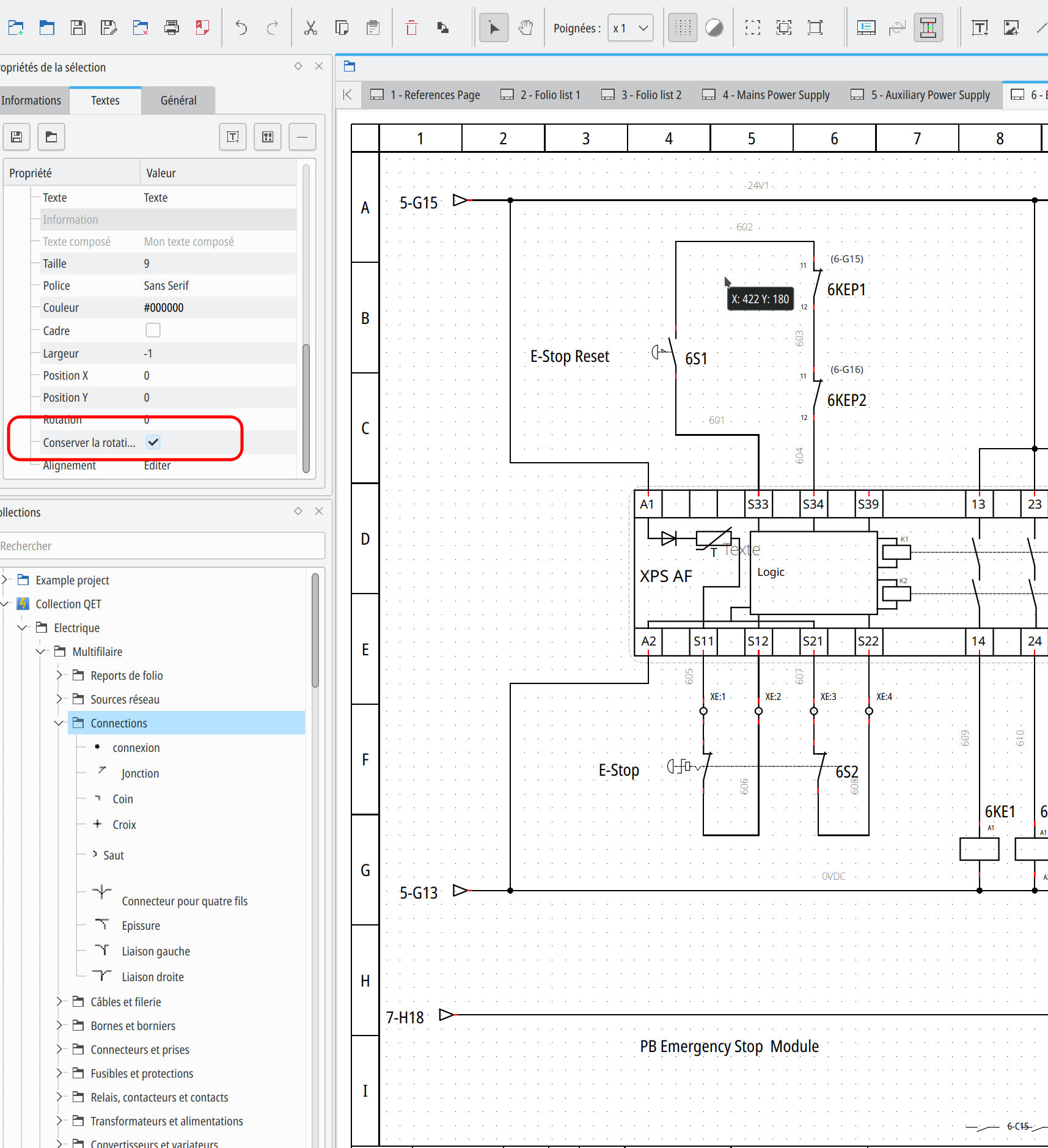
When having the conductor line some times the wire icon is ar the wrong place obscuring other elements or shapes. Is this possible to move that wire icon anywhere along the line? See image

I think , insnt possible for single line, symbol is always in the middle of your conductor.

rvamerongen wrote:

Ouch.
The one I wanted to write about first is....


A Folio duplicator and a copy/move into another project.

Easy

on folio you want to copy to another project, new project need to been open..

Ctrl + A // select all
+
Ctrl + C  // copy selected

select new open project in the tab bar


Ctrl +T  // add new folio
+
Ctrl + v  //paste the selection

Petite remarque sur le tri des bornes existantes qui sont du format XX:[0.9] exemple XA:101, XA:102, XA:103, etc on doit pouvoir faire le tri en considérant que la valeur après le ":" est un entier, non?
Je dit ça mais j'ai pas regardé lez code de tri automatique..

Apres j'ai remarqué que l'ordre de sélection des bornes libres te permettait de les classer directement dans le même ordre dans le tableau du bornier. Clair que comme dans mon exemple sur ma vidéo et avec de nombreuses bornes et borniers differents la tache n'est pas aisée, voire pénible.

Je pense que des filtres par folio/ label serait intéressant d’être ajoutés dans le tableau des "bornes libres", afin de faciliter la recherche et le tri dans le futur. Exemple comme dans ta vidéo classer les bornes par leur position dans les folios, ou par nom, ou par nom des conducteurs liés, etc.

Added.

https://qelectrotech.org/forum/viewtopi … 256#p16256

Good morning,

it's a little graphic bug, It doesn't interfere with the operation of the software.

BTW, try export project to PDF?

Bonjour,

pour la liste voir ce sujet: https://qelectrotech.org/forum/viewtopi … 256#p16256

Pour la seconde question, si tu m’étais ton projet ici, on pourrait peut-être t'aider?

Ps pour faire un miroir d'un symbole il ya le script de plc-user, voir ici: https://qelectrotech.org/forum/viewtopi … 276#p17276

Try this command in your terminal:

/Library/Frameworks/Python.framework/Versions/3.11/bin/qet_tb_generator

rvamerongen wrote:

iMac Intel 27" 5K 2015 - Monterey latest
MBP Intel 15" Retina 2015 - Monterey latest

QET 0.1 - just downloaded but same issue.

QET 0.1 ??????

Try this:
https://download.qelectrotech.org/qet/b … X86_64.dmg

Salut Joshua,
merci pour la vidéo explicative.
Tu expliques très bien le fonctionnement, continu.nomicons/smile

Vu que pour l'instant on n'a pas de notion de câble, je pense qu'il faudrait sur chaque borne deux terminaux de chaque coté de la borne avec le label du conducteur.

Ça permettra dans un premier temps de mieux exploiter les nouveaux borniers, et dessiner les câbles et groupes de conducteur sortant/entrants, même si c'est manuel.

1,394

(2 replies, posted in EN : Help, suggestions, discussions, ...)

https://download.qelectrotech.org/qet/m … ables.html

%{indexrev}: Folio revision index

https://qelectrotech.org/forum/viewtopi … 774#p17774

https://forum.freecad.org/viewtopic.php?t=75340

Here on Mac mini M2 with qelectrotech 0.100.0 arm64 app package

Hi,

what QET version, you use intel X86-64 bundle packaging, or qelectrotech.app arm64 for apple silicon?

What your mac, intel or M1, M2?

1,398

(20 replies, posted in Videos howto)

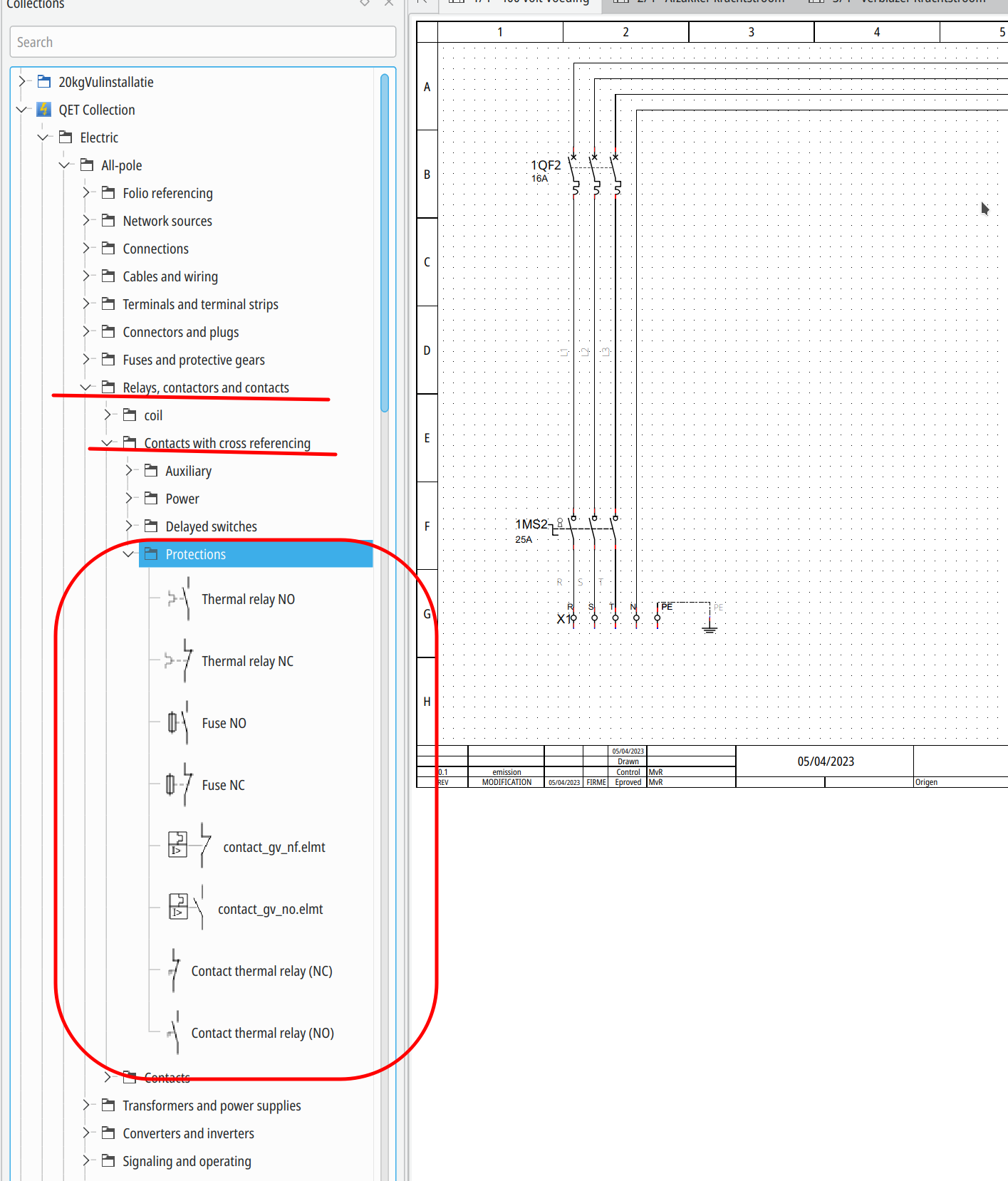
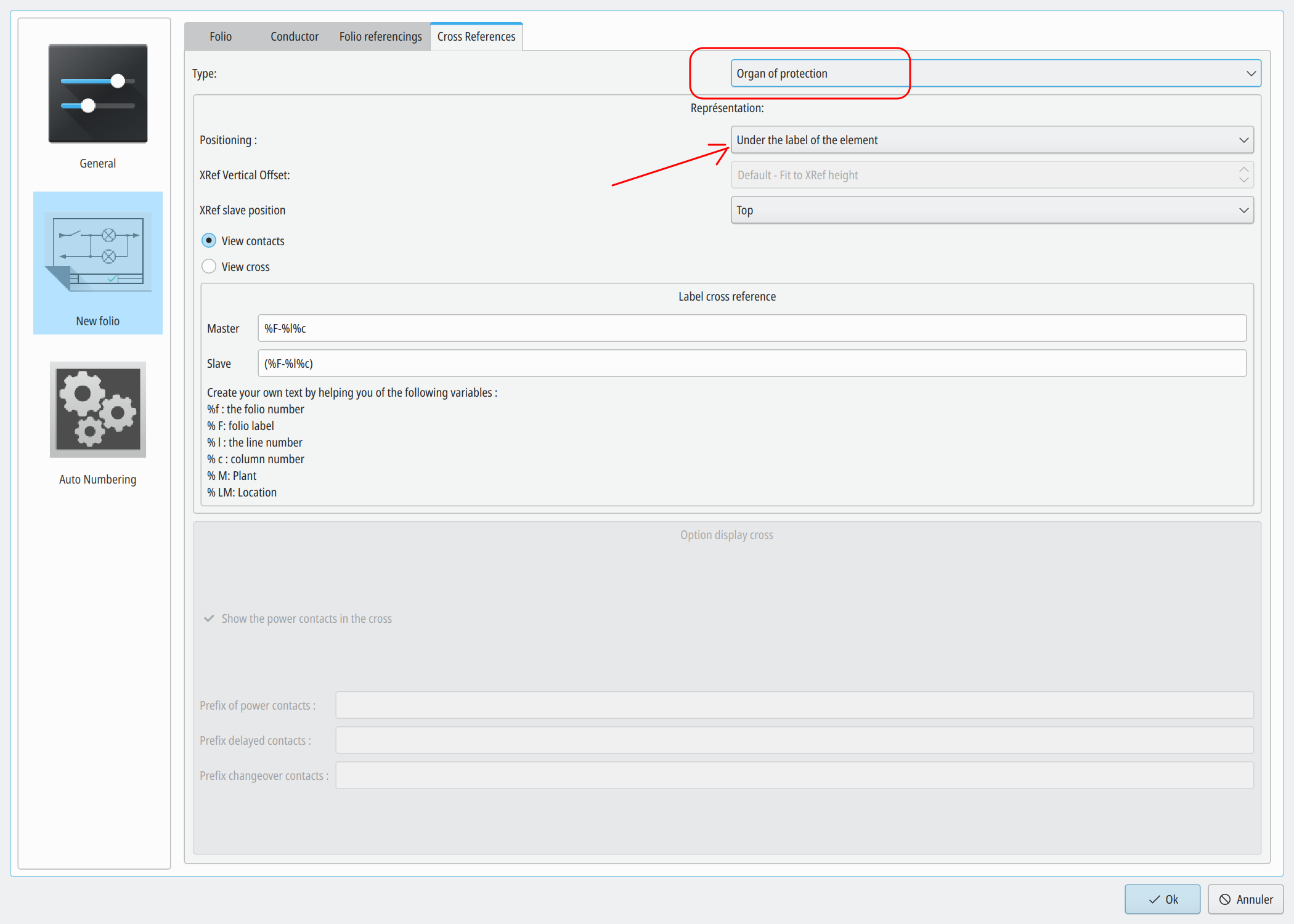
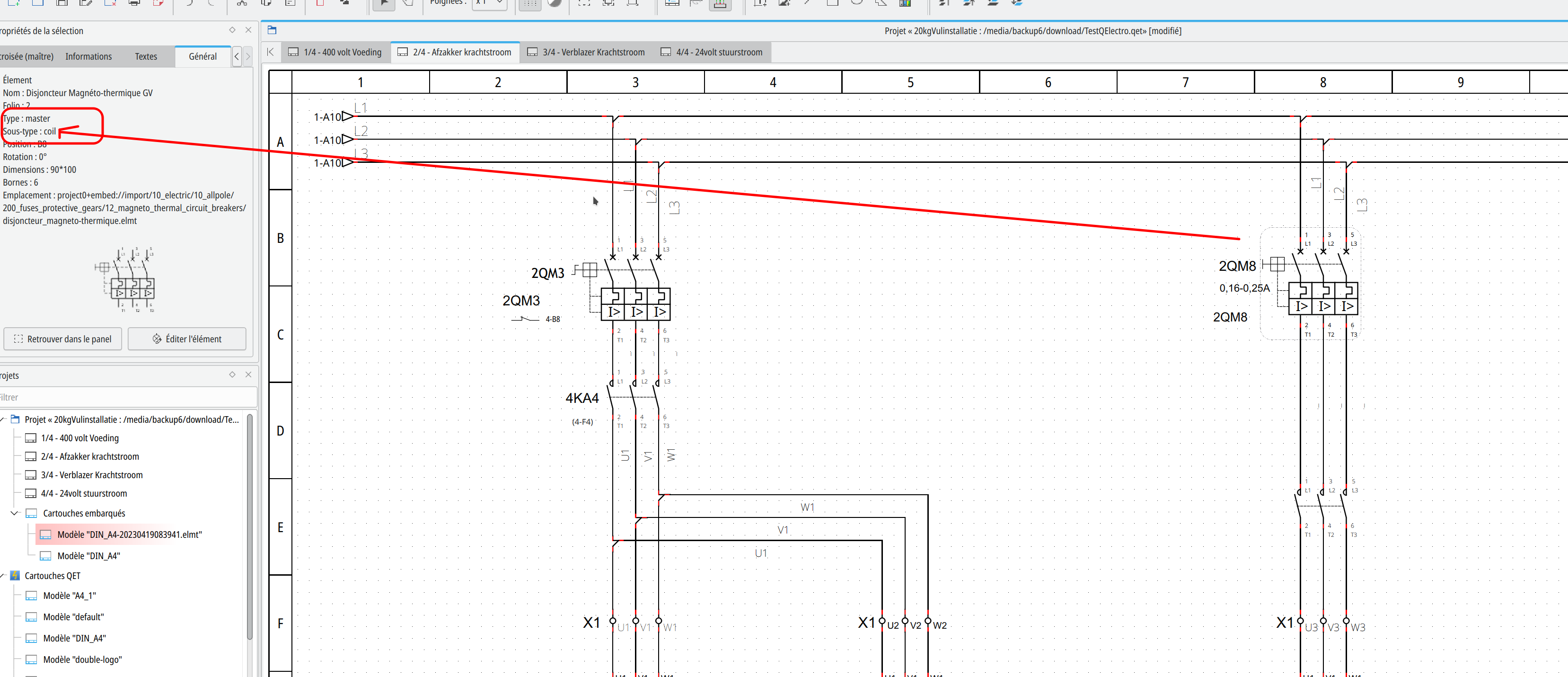
Sure, you have 3 enities "coil", "organ of protection", and "switch/button" settings to configure differently.

galexis wrote:

Me vient une question qui va avec le tri automatique: comment enlève-t-on une borne qui aurait été ajouté par erreur à un bornier ou serait serait au mauvais endroit ?

Simple: dans le tableau de ton bornier: sélection de ta borne puis tu click "envoyer dans les bornes indépendantes" et tu valides.

https://download.qelectrotech.org/qet/forum_img_2/terminalstrip_remove_terminal.png