Topic: Print button doesn't work.
Hello all,
I am new at this program and al readytrying to make some drawings, buth sadly i can not print the drawing.
Is there a setting or something that i have to select,
thank you for your reply's,
Regards Karel.

You are not logged in. Please login or register.
QElectroTech → EN : Help, suggestions, discussions, ... → Print button doesn't work.
Hello all,
I am new at this program and al readytrying to make some drawings, buth sadly i can not print the drawing.
Is there a setting or something that i have to select,
thank you for your reply's,
Regards Karel.

Hi Karel,
fixed recently for Windows please upgrade your version.
There is an other problem relating to printing.
On the print settings page when you want to change the layout, e.g. the margins, if you click ok the page orientation of the preview changes to portrait even though landscape was marked. At this point the buttons portrait & landscape do not do what they are suppost to do.
The resulting printout is landscape orientation but the size of folio is what you would get on a portrait layout, the landscape page is not completely filled.
When one does the printout a second time everything is ok.
Thx for the info it works perfecly
Hello . To adjust my scheme to the folio I went to print and found the page layout button. However, I cannot use it because it is not enabled. Is there a library that i can download to be able active the page layout button? Thank you for your time
What your os and the QET version?
My OS is Windows 10 and my QET version is V0.9. I also tried to use page layout downloading the V0.7 and the v0.8. And it didn't work on any.
Hope you can help me. Thanks for your reply
Maybe you have not printed installed on your OS, or not open project in diagram?
Please send a capture screen.
How can i open project in diagram?
Capture1.JPG 105.77 kb, 142 downloads since 2023-01-19
Like your screen -> project is open in diagram editor and printer icon is not grayed out.
What you see on screen is what you print on paper, no layout to configure here.
how can i also verify if i have intalled print on my OS?
Capture2.JPG 105.32 kb, 130 downloads since 2023-01-19
You have a printer and you can print, also printer is installed, no?
yes, the printer is installed correctly.
Ben ... try to print!
https://download.qelectrotech.org/qet/m … m-menu-bar
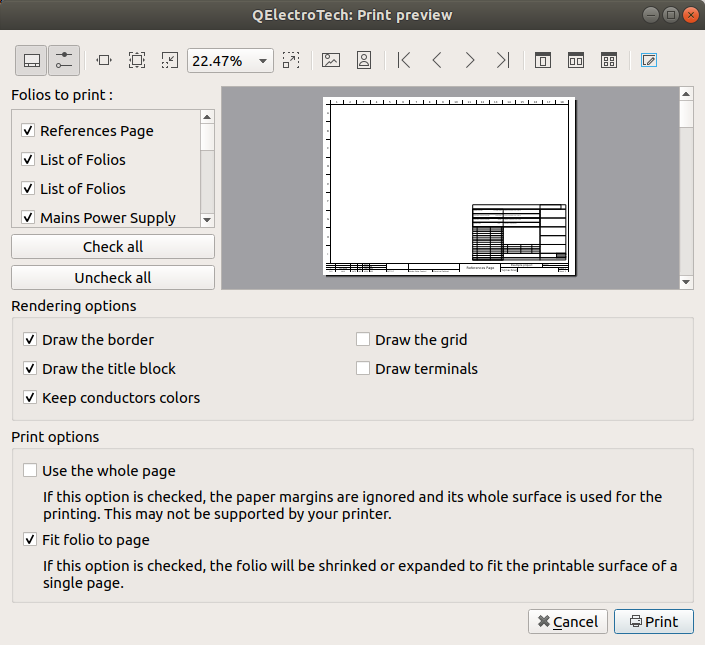
Thank you very much. I did it. It is that first I tried to export it to PDF and then print it and I did not get the Page Layout button activated when exporting it.

Sorry...but i still have a problem. Even when i put all the parameters the scheme does not adjust to the folio. And i do not know why.
thanks for your time.
Capture3.JPG 128.41 kb, 110 downloads since 2023-01-19
Try checkbox print options in layout.
I don't know where to find the checkbox print. Can you send me a caption?
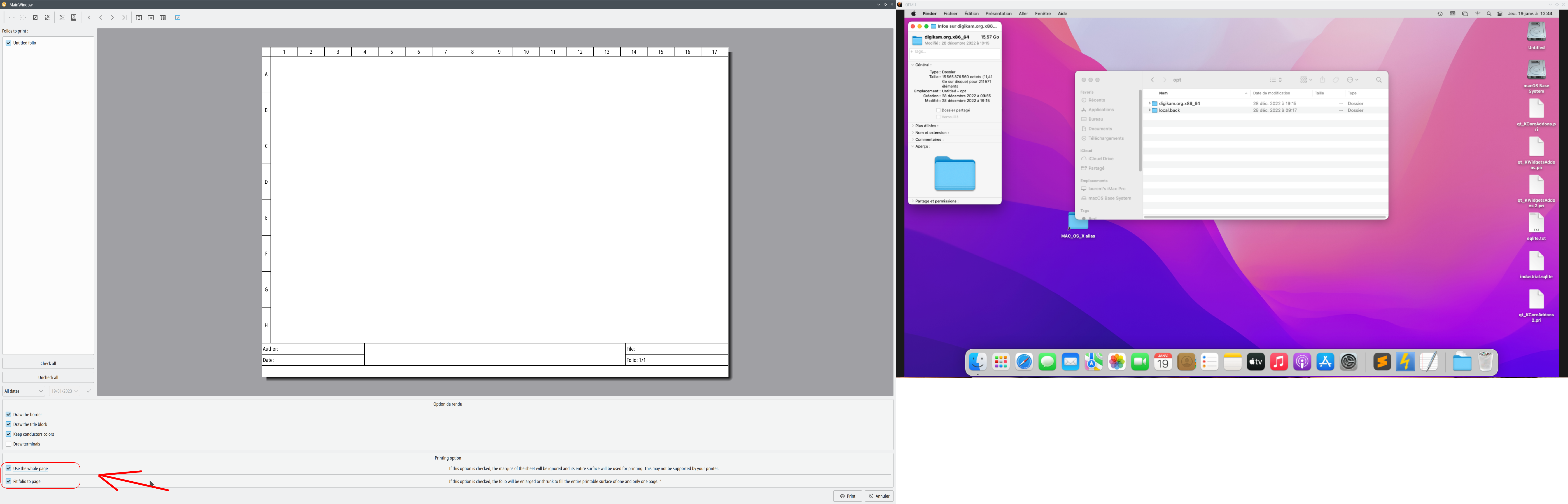
Keep coming out like this. It does not respect the margins I put in the page layout. Even if I have put the dimensions of the sheet of my design scheme the correct ones according to ISO 216:
Capture4.JPG 126.03 kb, 101 downloads since 2023-01-20
The pixels dimensions according ISO 216
Capture5.JPG 34.86 kb, 143 downloads since 2023-01-20
Maybe your problem is on your title block dimensions, try to add rows, columm or change size?
Or send me a example here?
What is seen in the preview window is what will be printed and will not depend on the paper size, it will be the same if you want to print in A4 or A3 what you see on the screen will be represented as is whatever the sheet size.
Some old developers pulled their hair out or even almost threw their printers away because it's so complicated depending on the operating system, the printer driver or the brand of printer, for respect margin used by printer dialog..
QElectroTech → EN : Help, suggestions, discussions, ... → Print button doesn't work.
Powered by PunBB, supported by Informer Technologies, Inc.
Generated in 0.023 seconds (41% PHP - 59% DB) with 12 queries