1 (edited by tiz.meneghe Yesterday 12:38:36)

Topic: Key assignment, shortcut

Hello friends,

How can I implement a "c" key (="center") that centers the sheet on the mouse cursor when zoomed in—WITHOUT changing the zoom level?

(Ctrl+8 doesn't do the same thing because it alters the zoom).

I use this for circuit board design; it is extremely useful and FAST for navigating between different parts of the circuit without needing complex key combinations or excessive movement.
When zoomed in on the sheet, it makes navigating around the board excellent and renders the arrow keys obsolete.

Thanks.

Re: Key assignment, shortcut

Hallo tiz,

please try new devel 0.200.1 version, you can customize yours shorcuts actions what you want.

"Le jour où tu découvres le Libre, tu sais que tu ne pourras jamais plus revenir en arrière..."Questions regarding QET belong in this forum and will NOT be answered via PM! – Les questions concernant QET doivent être posées sur ce forum et ne seront pas traitées par MP !

3 (edited by tiz.meneghe Yesterday 20:58:30)

Re: Key assignment, shortcut

Hi, scorpio810,
You're right, scorpio810; I really appreciated the evolution in development version 0.200-1, where I noticed several new features, including the ability to assign keys to specific functions (shortcuts).
What I was looking for (and couldn't find a suitable function for) is a way to easily navigate the workspace when zoomed in to see details or when working on a large sheet...

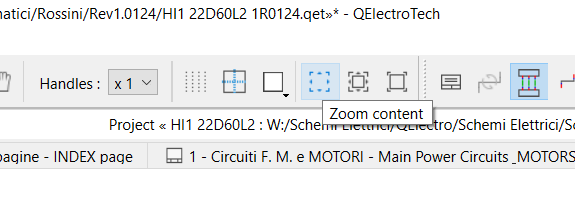
As you can see in the screenshot, I assigned the "view +" function to the "I" key, "view -" to "O", and "zoom content" to "C" (I don't see any other options).
While "I" and "O" work correctly—zooming in and out without complex key combinations—the "C" function (which would be very handy, it would be useful just like panning the view by holding down the right mouse button)...
...Seems to center the folio but resets it to "fit to screen."

I've always appreciated your work—kudos.
The CAD software I use is also free and has these functions implemented (KiCAD or EasyEDA); they make navigating the PCB at high zoom levels very practical.
It's really useful and makes the workflow much smoother...
That's all.

It's fine as it is, though.
And once again, congratulations on the work done...

Post's attachments

Attachment icon 2026-09-25_205316.bmp 3.1 mb, 5 downloads since 2026-09-25 
Schermata 2026-09-25 alle 20.02.09.png, 25.52 kb, 575 x 221
Schermata 2026-09-25 alle 20.02.09.png 25.52 kb, 5 downloads since 2026-09-25 

Re: Key assignment, shortcut

Hi scorpio810,

I already have version 200-1.dev, but the only shortcut I can find is Ctrl+8 (zoom content); it (seemingly) centers the screen on the mouse pointer, but unfortunately, it switches to full-screen mode.

I don't want to be a bother; this is fine as it is...


Thanks, bye.

Tiziano